Public guide only. Install the skill in your IDE; this site never fetches tickets, commits code, or posts to chat.
Companion to the AI-Assisted SDLC Playbook.
Quick start
Thirty minutes to wire Ticket Flow into a team. Prefer the Flow view once you know the steps.
1. Copy skill and rules
Copy .cursor/skills/ticket-flow/ and .cursor/rules/*.mdc into your product repo’s .cursor/ directory (or open this repo as a multi-root workspace).
Skill — the checklist the agent follows.
ticket-flow.mdc — routes trigger phrases to the skill.
ticket-handoff.mdc — Impact Area + tests on handoff/PR.
Next: wire the thin script wrappers to your CLIs.
2. Configure scripts
Edit wrappers under scripts/ so they call your tools. Unconfigured scripts exit with an error — they never invent ticket text or claim a chat send succeeded.
Wrappers forward to existing CLIs. They must not reimplement tracker or chat business logic.
Unconfigured issue-get.sh / notify-chat.sh exit non-zero with instructions.
git-branch.sh refuses a dirty tree and reuses an existing ticket branch if present.
git-push.sh blocks direct push to main/master.
git-pr.sh seeds an Impact Area body (or accepts a body file).
On failure: report the error envelope, offer recovery, do not invent success.
What not to put in this repo
This repository and site are public. Keep real tickets, code, credentials, and proprietary designs in approved private systems. Use synthetic examples only.
Glossary
FAQ
What is Ticket Flow?
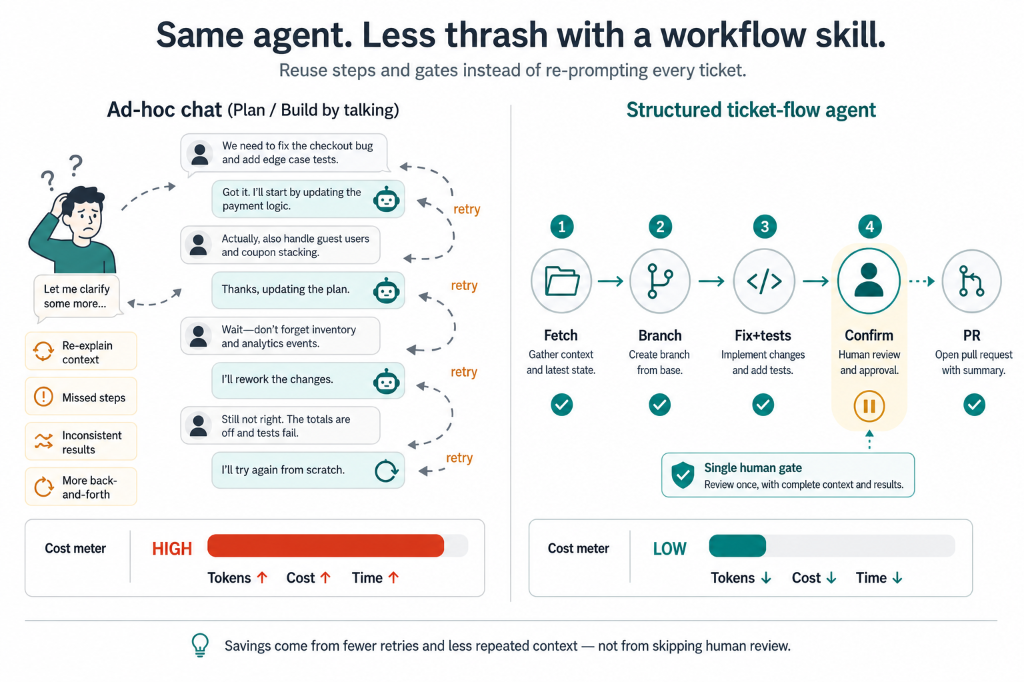
A thin orchestration layer—Cursor skill, always-applied rules, and thin script wrappers—that sequences ticket ID → merged change with human Confirm gates before commit and before PR. Not a SaaS product or ticket platform.
How does it relate to the AI-Assisted SDLC Playbook?
The playbook owns stage prompts from vague requirements through release. Ticket Flow owns the IDE checklist once a real ticket ID exists—especially during Develop one story.
Does this site create PRs?
No. It only displays guidance and copyable prompts. PRs happen in your local clone via configured scripts and your code host after explicit Confirm.
Why two Confirm gates?
One before commit (diff + Impact Area) and one before push/PR (title + body). Silence never counts as Confirm.
What is an Impact Area?
A pasteable handoff block: App, Surfaces, Components/APIs, Regression Risk, and Tests—used at validation and in PR descriptions.
What if issue-get is not configured?
The script must fail with setup instructions. Do not invent ticket descriptions; wire your tracker CLI and re-run.